
Visa® Debit Check Card
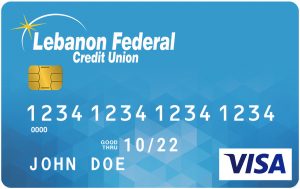
- Accepted by millions of merchants worldwide
- A reliable alternative to cash
- Access your account surcharge free at Lebanon FCU ATMs and at ATMs within the CU$ network.
- Six free transactions at other ATM locations per month, any additional $1 fee does not include surcharge fees assessed by other financial institutions
- Cash back opportunities at participating merchants
- Traveling outside Pennsylvania, – please notify LFCU
- We notify you of unusual activity and protect you from debit card fraud
ATM Card
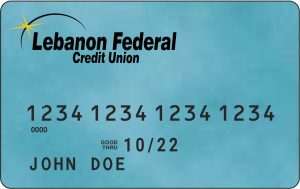
- ATM cards are issued for savings accounts only.
- Would you like to upgrade to a Visa Debit Check Card? Visit us today to open a checking account.
- Free access to any of our Branch ATM locations.
- Access your account surcharge free at Lebanon FCU ATMs and at ATMs within the CU$ network.
- Six free transactions at other ATM locations per month, any additional $1 fee does not include surcharge fees assessed by other financial institutions.
Visa Account Updater (VAU) is a service that facilitates and encourages customer satisfaction, retention and loyalty by exchanging updated account information between participating merchants and Visa card issuers. Serving as an automated, dedicated, and secure clearinghouse, VAU delivers updated cardholder account information in a timely, efficient, and cost-effective manner, benefiting all parties involved in the electronic payment process.
What is Visa Account Updater?
Visa® requires LFCU to support Visa Account Updater (VAU). These services enable the secure electronic exchange of card number and expiration date updates between issuers and participating acquirers for card-on-file (COF) merchants. (EXAMPLE: The exchange between LFCU and OnStar.)
What does this service do?
The VAU service allows a way for LFCU to provide Visa the most recent card number and expiration date updates and in turn VISA will make this information available to the acquiring merchants that participate in the VAU service.
Will LFCU cardholders have an option to opt out?
Yes. Members will have an option to opt out cards should a cardholder request it. For VAU, when a cardholder opts out, the merchant will get a contact cardholder status for the old card with no new card information.
What is a card-on-file (COF) merchant?
COF merchants store their customers’ card number information for future purchases and/or recurring payments. Some examples are monthly utility payments, Netflix, Redbox, etc.
What are the benefits of VAU for LFCU and cardholders?
The benefits that issuers offer to their cardholders will provide:
An uninterrupted service from participating COF merchants
Prevent customer service interruptions with billing disputes
Cardholders will no longer have to provide updated card information to participating merchants when their card is reissued, lost, or stolen
Recurring payments will likely be more successful as updated card information is readily made available to participating merchants.
What scenario would the merchant use the VAU services?
Participating COF merchants will try to obtain updated cardholder information prior to their billing cycle. Merchants that participate in the VAU services will be able to access updated card number and expiration date information, eliminating the potential for denied transactions due to outdated cardholder information on their systems.
What happens if my card is compromised?
Compromised cards will be closed and replacement card numbers/expiration dates will NOT be sent upon activation of new cards to VAU. LFCU members will have to contact any merchants that previously had their compromised card on file to provide them their new card information
Your LFCU Visa® Cards and Apple Pay™ will change the way you pay!
How to sign up for Apple Pay™?
Go to the Wallet App and tap the plus icon
Follow the steps to add a new card. (If asked to add the card that is connected to the iTunes account, cards on other devices, or cards that you’ve recently removed, choose them, then enter the card security codes.)
Tap Next. LFCU will verify the information entered and decide if you can use the card with Apple Pay™.
What devices is Apple Pay compatible with?
iPhone (model SE and newer)
iPad
Apple Watch
MAC
How do you use Apple Pay?
Use and your favorite Visa® card to pay the easy, secure, and private way at hundreds of thousands of stores and participating apps. See a complete list of Apply Pay merchants Here!
Learn more about apply pay clicking HERE!
*Apple, the Apple logo, and iPhone are trademarks of Apple Inc., registered in the U.S. and other countries. Apple Pay and Touch ID are trademarks of Apple Inc.
Transform the Way You Pay with Your LFCU Visa® Cards and Google Pay™!
How to Set Up Google Pay
Open the Wallet App and tap the “+” icon.
Follow the prompts to add a new card.
If prompted, you can add cards from your iTunes account, other devices, or recently removed cards by entering their security codes.
Tap Next.
LFCU will verify your information and confirm if your card can be used with Google Pay™.
Device Compatibility
Android Devices
Smartphones:
Requires Android 5.0 (Lollipop) or higher with NFC and Host Card Emulation (HCE).
Wear OS Smartwatches:
Wear OS 2.0 or higher with NFC is required for in-store payments.
Apple Devices (Limited Use)
iPhones (iOS 10.0 or later):
Works for online purchases and in-app payments.
Not supported for in-store payments.
iPads (iOS 10.0 or later):
Limited to online and in-app payments.
Mac:
Supports Google Pay for online payments via browsers like Chrome.
Other Platforms
Web Browsers: Accessible via Chrome, Firefox, and Safari for online payments.
Desktops: Compatible for online transactions using supported browsers.
Learn more about Google Pay™ and elevate your payment experience by clicking HERE!
When you shop online and see the Visa Secure badge on participating merchant sites, this means your online purchases are secured with Visa. Visa has developed a program that helps confirm your identity when you make an online purchase. This service helps make shopping online more secure by protecting against unauthorized use of your Visa card.
Whether you’re using a desktop, mobile or other digital device, you may be guided through an additional check to verify your identity. This helps your issuer know you’re really you, and it better protects you from fraud.
©Copyright 1996-2019. All Rights Reserved.
usa.visa.com
Learn more about Verified by Visa HERE
EMV stands for Europay, MasterCard and Visa. It is a global standard for cards equipped with computer chips and the technology used to authenticate chip-card transactions.
EMV cards add improved security and fraud protection with an embedded chip.
Merchants are currently installing new payment terminals that support the new chip cards.
When making a purchase with your chip card in a new terminal, you will insert your card into the terminal slot and briefly hold it there until the card is verified with LFCU.
You still may be required to enter your card’s PIN or sign for transactions.
Your card will also work on existing payment terminals that don’t use the new technology. Because of the extra security with EMV, we encourage you to use the EMV purchase option wherever it is available. You will also be able to continue to use your cards at ATMs worldwide.
Questions?
If you have any questions, please contact us during normal business hours.
- Email: lebfcu@lebanonfcu.org
- Phone: (717) 272-2210
- Option 5 – Information on an existing account, loan, or to make a loan payment
- Option 7 – To open a new account